Tutorial: from clone to your first pipeline
This walkthrough takes you from a fresh git clone to watching a real Claude pipeline write code into your project workspace. ~10 minutes.
You’ll need: Python 3.12, Node 18+, and an Anthropic API key.
1. Clone & install
git clone https://github.com/MiladNalbandi/founders-cockpit.git
cd founders-cockpit
The repo has two halves: backend/ (Django + Channels + Celery) and desktop/ (Electron + React + Vite).
2. Start the backend
Open a terminal:
cd backend
uv venv --python 3.12 .venv
source .venv/bin/activate
uv pip install django djangorestframework djangorestframework-simplejwt \
  django-cors-headers 'channels[daphne]' channels-redis celery redis \
  'psycopg[binary]' anthropic cryptography python-dotenv pydantic
python manage.py migrate
CHANNELS_IN_MEMORY=1 CELERY_EAGER=1 python manage.py runserver 8000
CHANNELS_IN_MEMORY=1 skips Redis for WebSocket pub/sub. CELERY_EAGER=1 runs agent tasks inline. Drop both once you’ve moved to docker-compose for Postgres + Redis.
3. Start the desktop app
Open a second terminal:
cd desktop
npm install
npm run dev
Vite comes up on :5183 and Electron launches once it’s ready.
4. Create your account
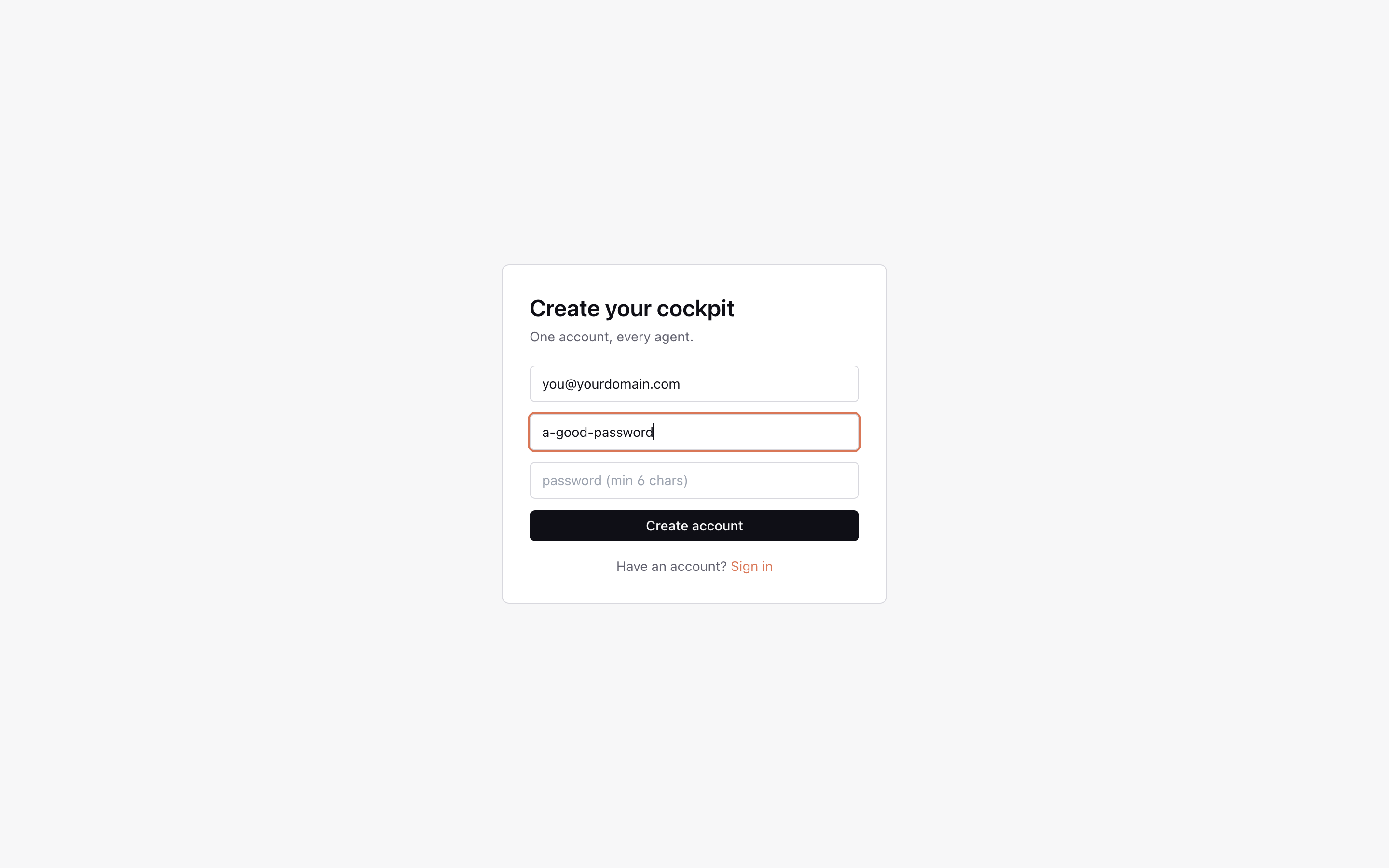
Pick any email + password. There’s no email verification in v1 — accounts live in SQLite locally.
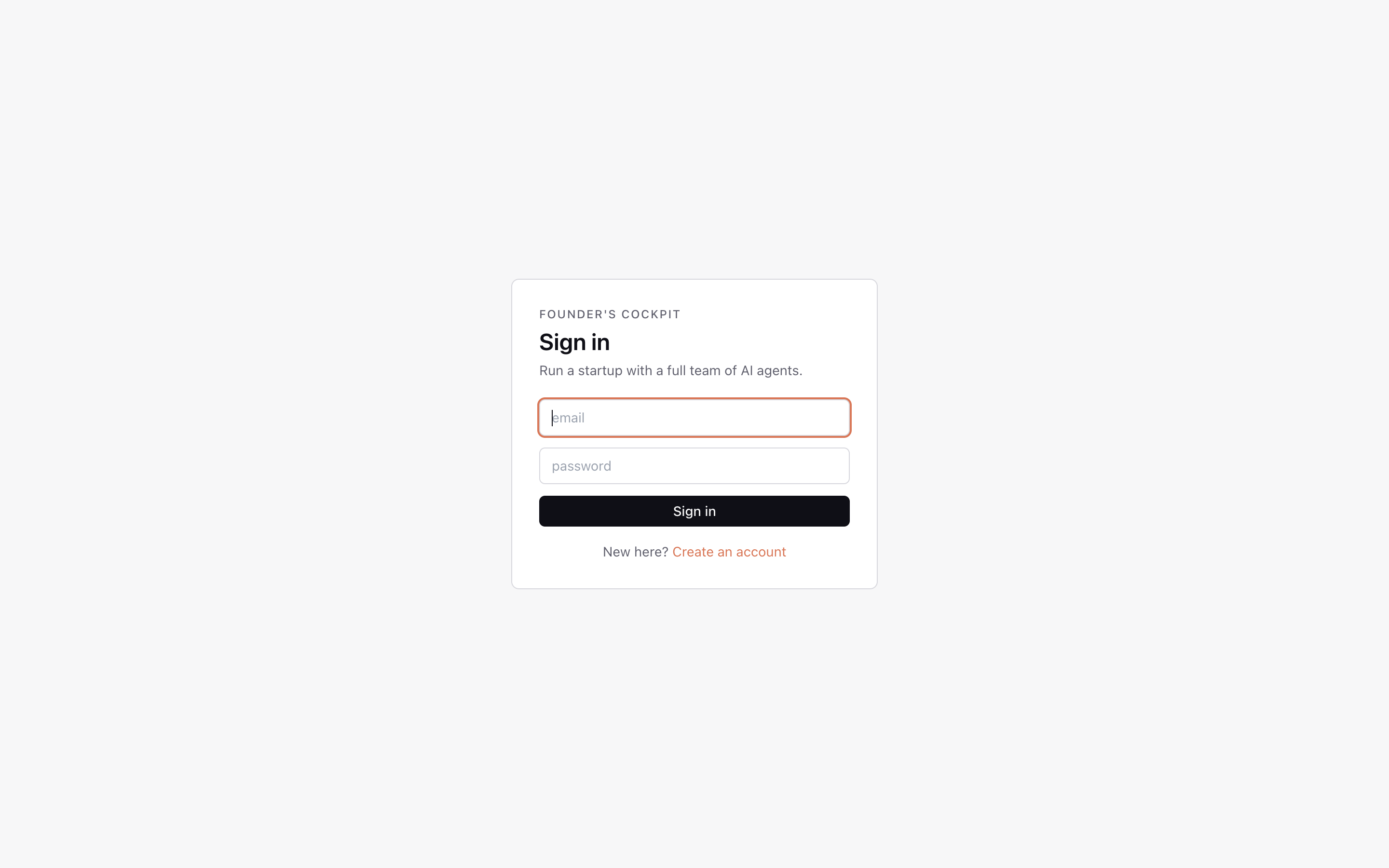
Already have one? Sign in instead:
5. Paste your Anthropic key
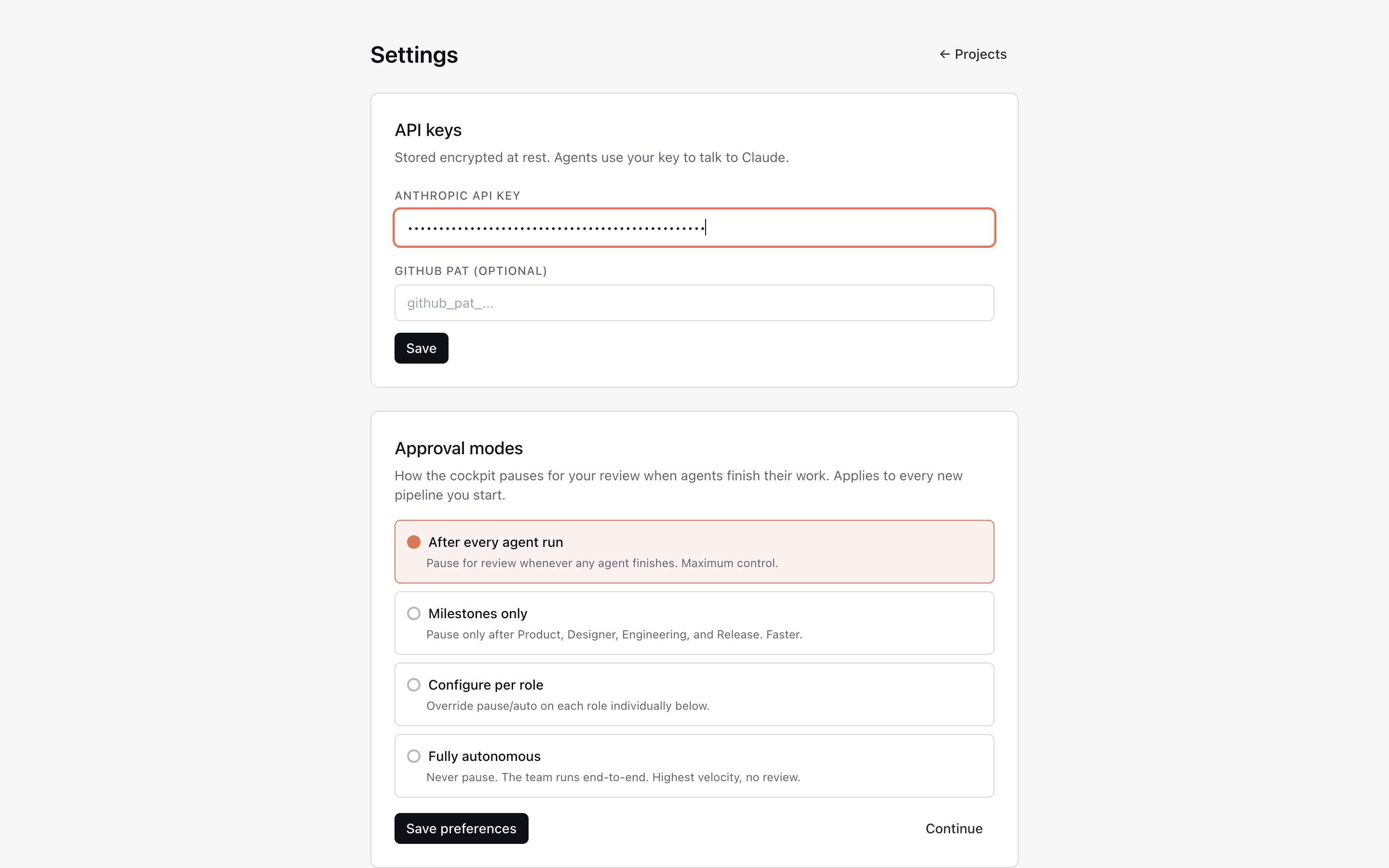
In Settings, paste your sk-ant-... key. It’s encrypted at rest with Fernet (see apps/accounts/crypto.py) — never sent anywhere except api.anthropic.com.
While you’re here, pick an approval mode:
- After every agent run — pause for review whenever any agent finishes. Maximum control.
- Milestones only — pause only after Product, Designer, Engineering, and Release.
- Configure per role — override pause/auto on each role individually.
- Fully autonomous — never pause. Highest velocity, no review.
Optional: paste a GitHub PAT to let the Engineer push scaffolds.
6. Start your first startup
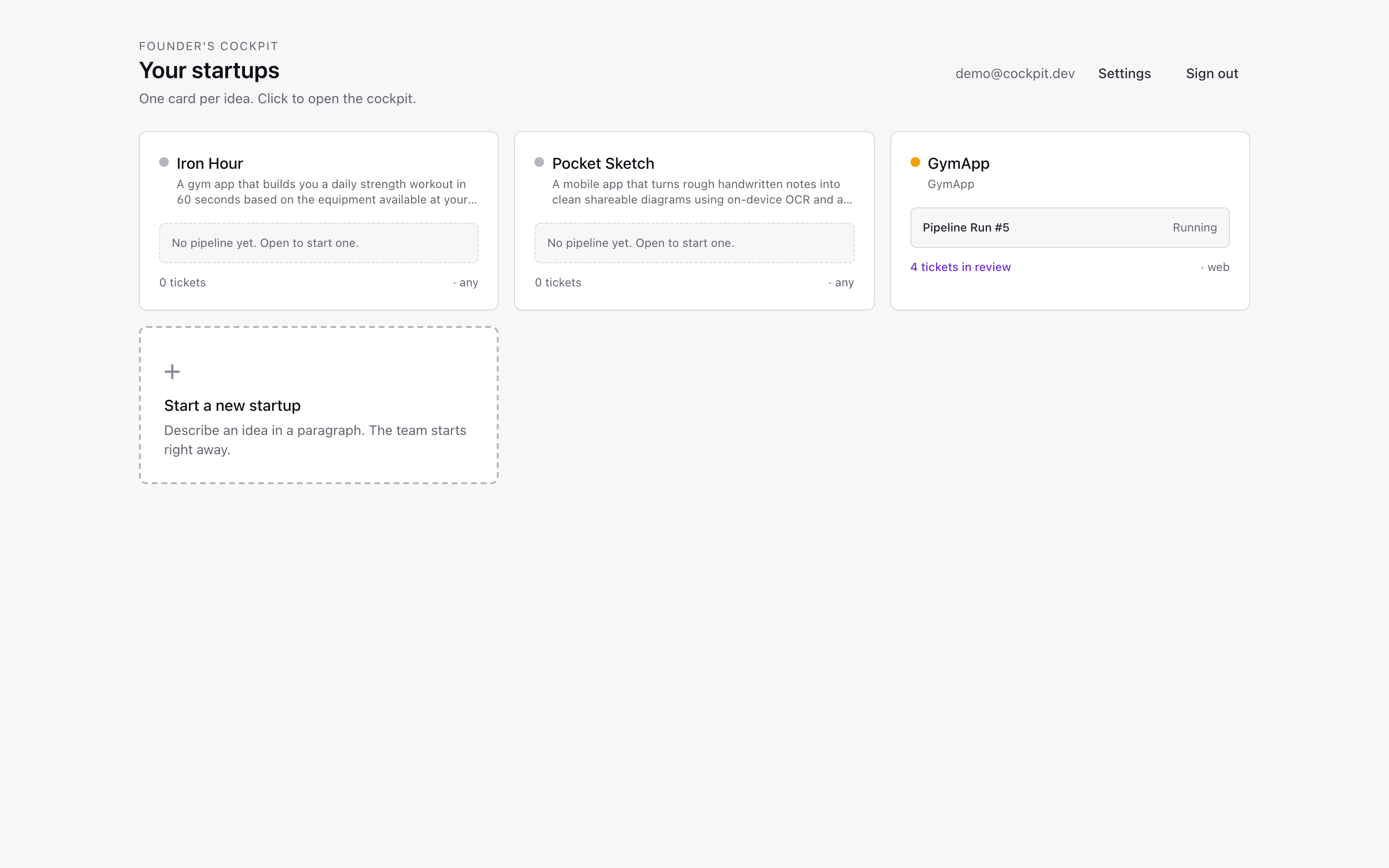
Click + on “Start a new startup”, give it a name and a one-paragraph idea. The signal handler in apps/projects/ bootstraps a full agent organization for the project.
7. The cockpit — Pipeline tab
You land on the Pipeline view — the linear flow your team will run through.
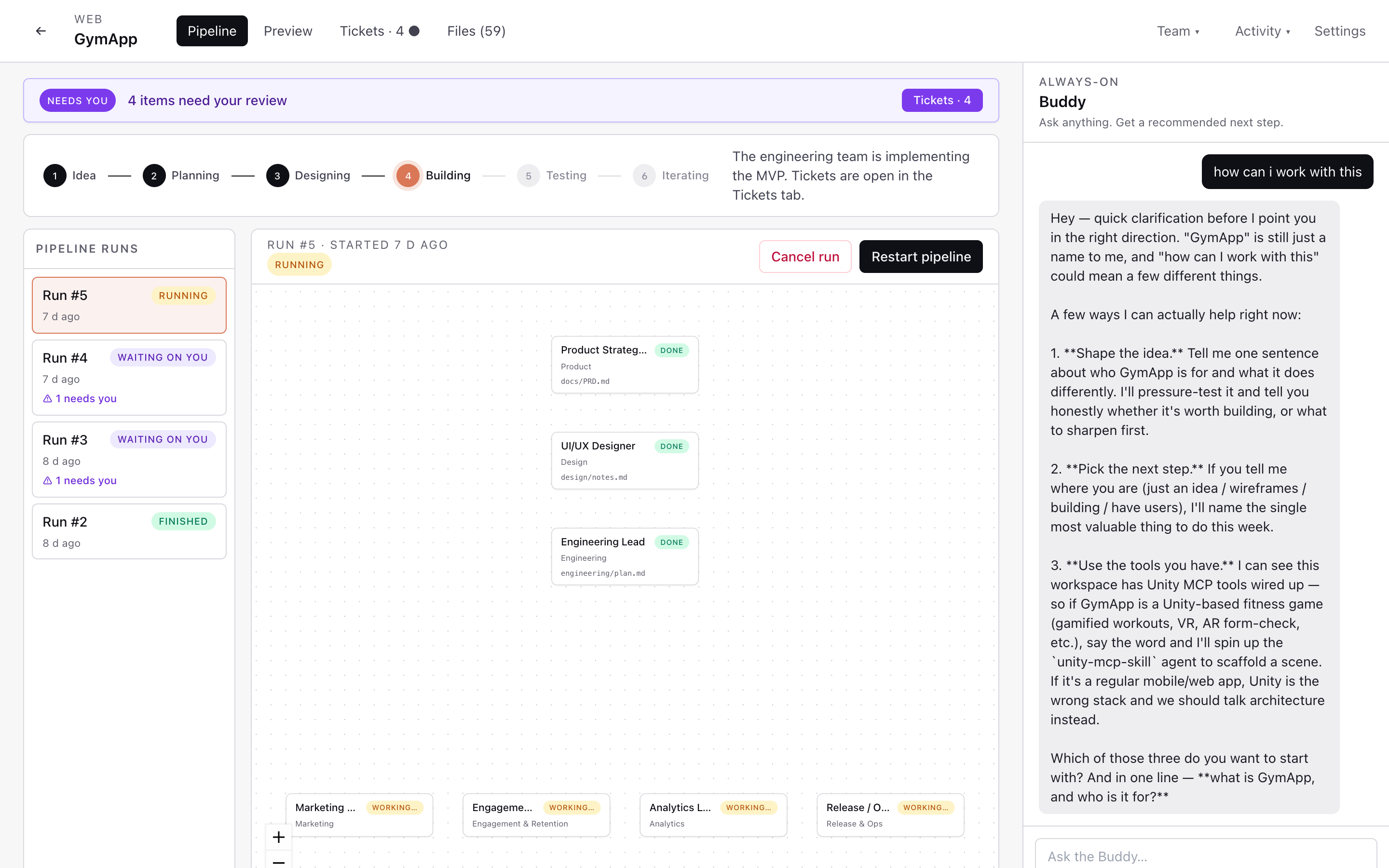
Stages: Idea → Planning → Designing → Building → Testing → Iterating. Click Run Idea → MVP pipeline to kick everyone off. The Product Strategist picks up first and writes docs/PRD.md into your sandboxed workspace.
The Buddy in the right rail is always there. Ask it what to do next or just brainstorm — replies stream token by token.
8. Preview tab — see the product as it’s built
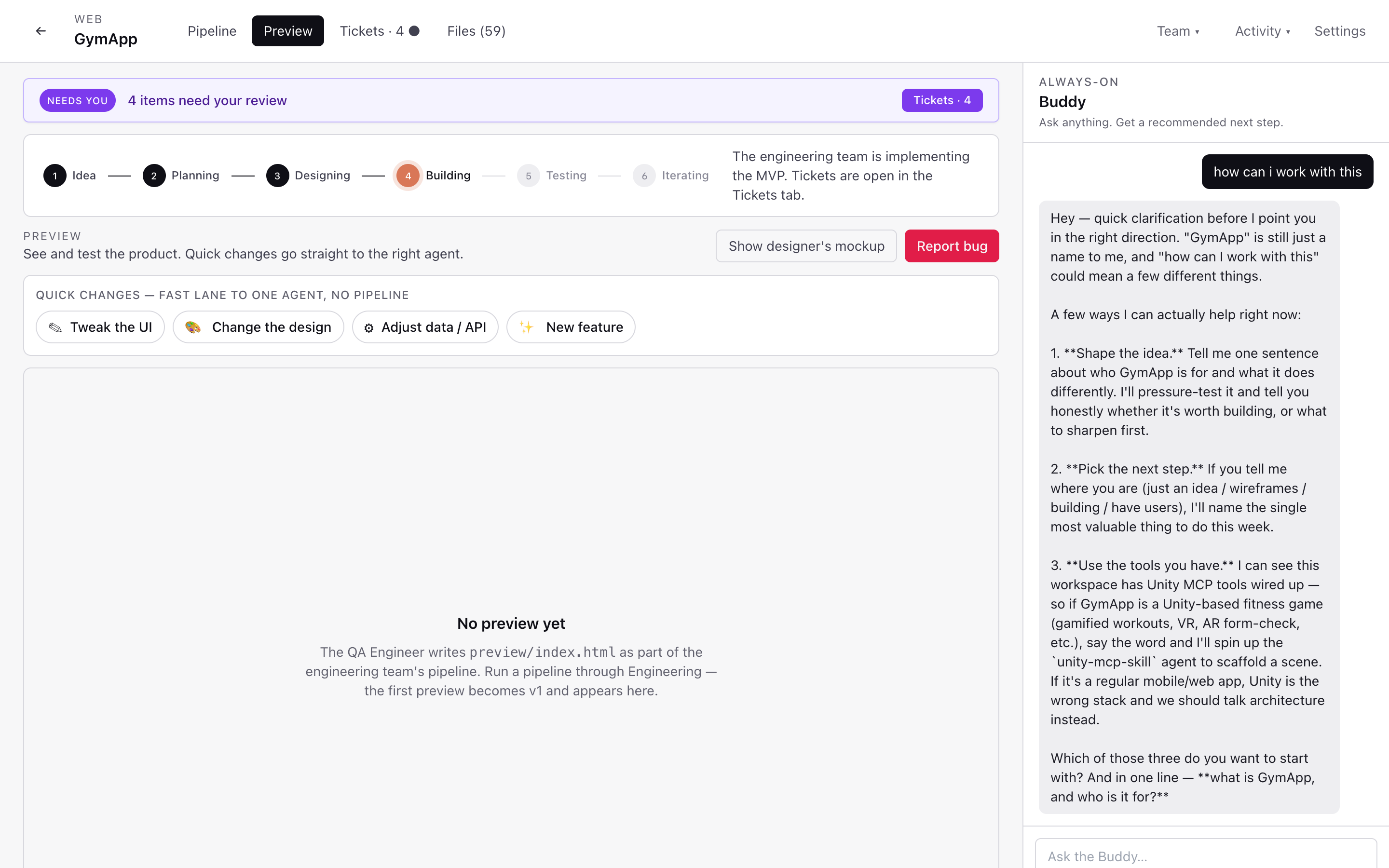
The Preview tab is where the engineering team’s output lands — a live preview/index.html rendered in the cockpit itself. Use the quick-change chips to nudge the team without a full pipeline run:
- 🎨 Tweak the UI — straight to the designer
- 🏷️ Change the design — design + frontend
- ⚙️ Adjust data / API — backend
- ✨ New feature — full team
When something’s wrong, click Report bug and a ticket is filed against the right agent.
9. Activity feed — watch the org work
Open Activity (top right) to see every thought, tool call, and artifact streaming live:
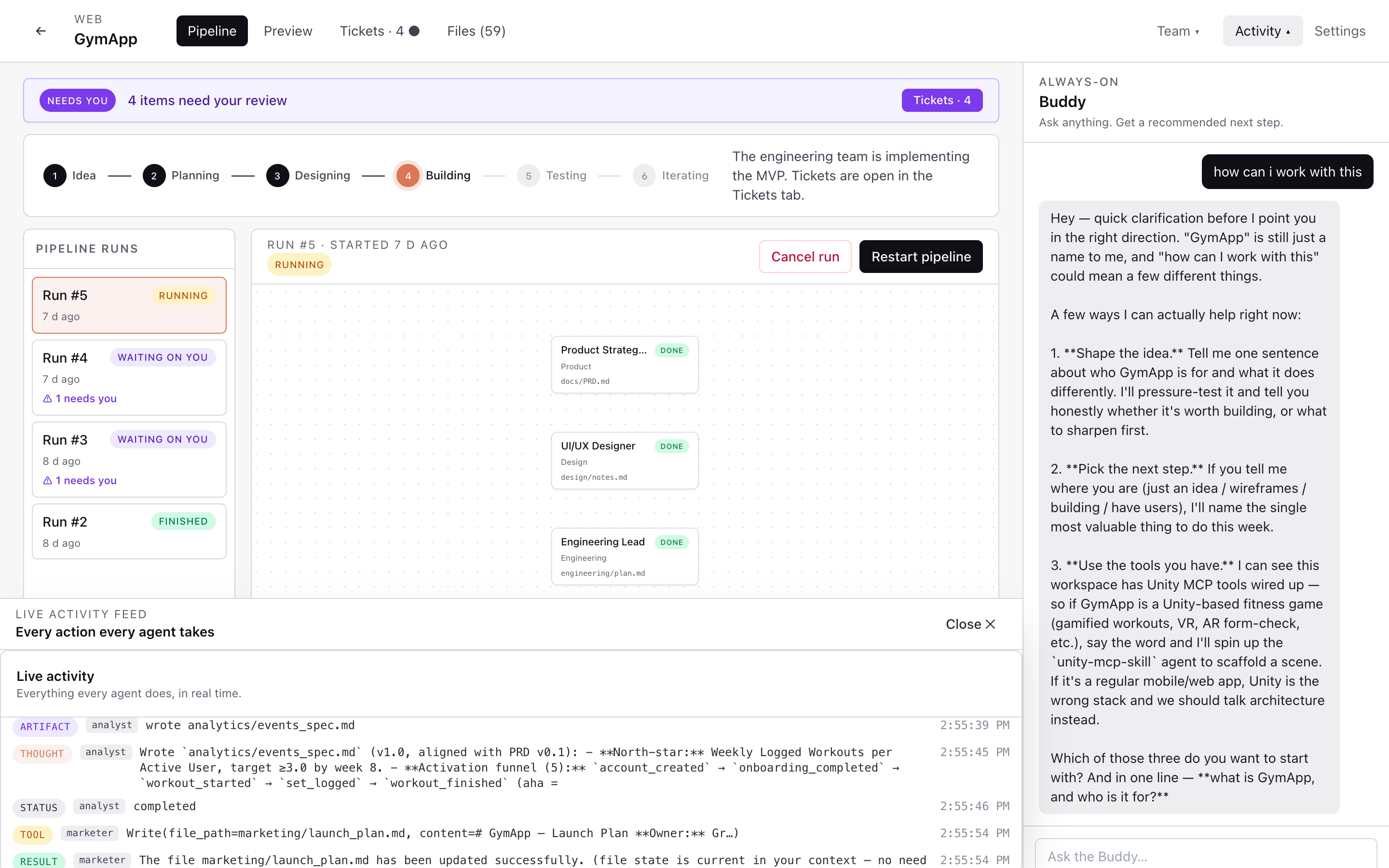
This is the same stream that drives the pipeline progress dots — useful for debugging agent runs or just enjoying the show.
10. Chat with Buddy
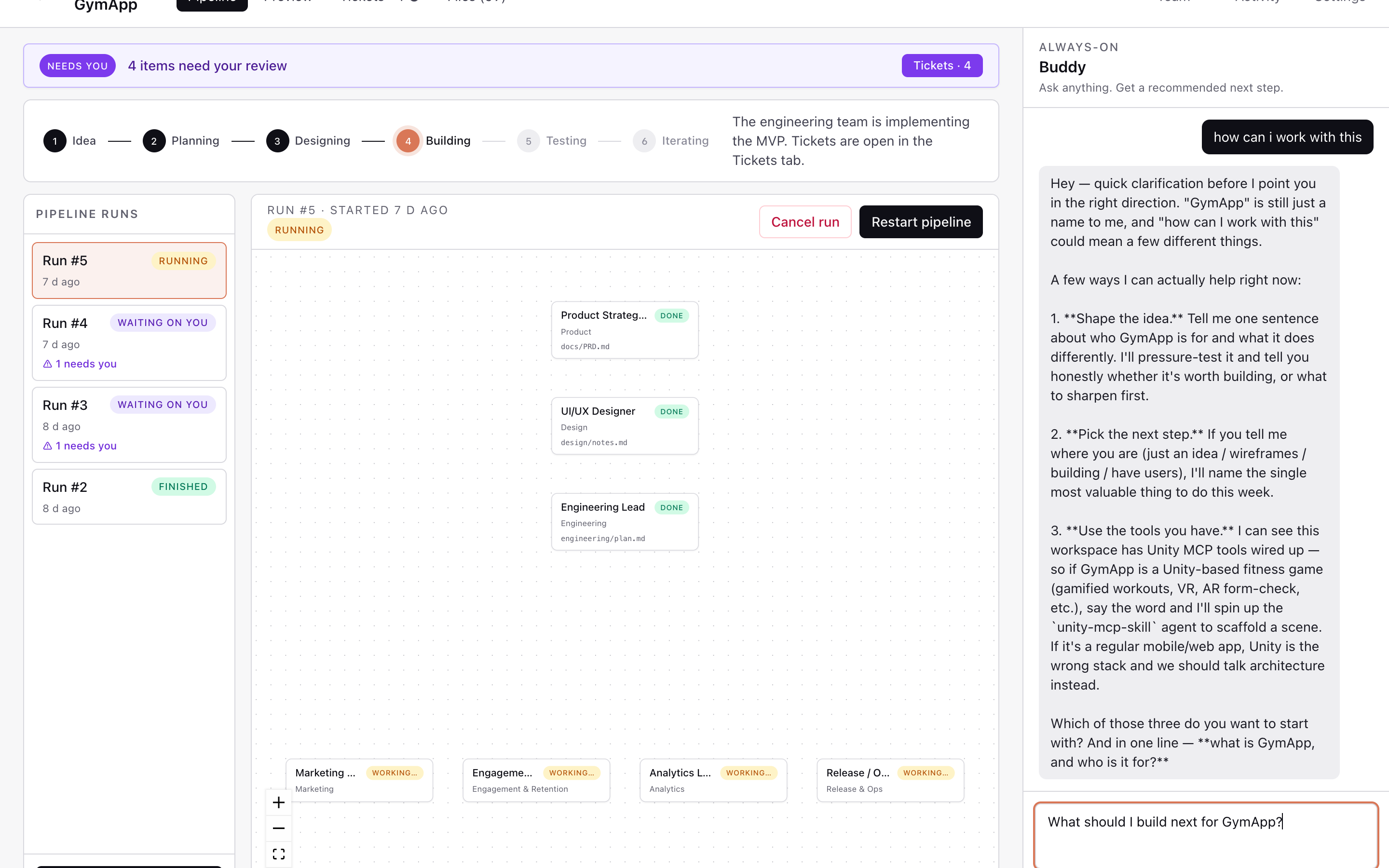
The right rail is always on. Buddy reads your project state and recommends the next concrete step. Ask things like:
- “What should I do first?”
- “Why did the Designer pick a vertical layout?”
- “Summarize the PRD for me.”
11. Where do my files live?
backend/workspaces/{user_id}/{project_id}/
├── docs/PRD.md
├── design/mockup.html
├── preview/index.html
└── apps/{web,api,mobile}/
Real files on your disk, sandboxed per project. You can cd in and run them, commit them, ship them.
Upgrading from smoke-test to real stack
docker compose -f docker-compose.dev.yml up -d   # Postgres + Redis
cd backend
export POSTGRES_DB=cockpit POSTGRES_USER=cockpit POSTGRES_PASSWORD=cockpit POSTGRES_HOST=127.0.0.1
python manage.py migrate

# Terminal A — ASGI server (HTTP + WebSocket)
python -m daphne -b 0.0.0.0 -p 8000 cockpit.asgi:application

# Terminal B — Celery worker (runs agent + buddy tasks)
celery -A cockpit worker -l info
Troubleshooting
| Symptom | Fix |
|---|---|
| Electron window doesn’t open | Make sure Vite is up on :5183 first; check desktop/electron/main.ts logs |
401 on every API call |
You’re not logged in — Sign in again, then refresh |
| Pipeline hangs at “Planning” | Anthropic key missing or invalid — re-paste in Settings |
psycopg install fails |
Skip Postgres for now; SQLite default works fine |